Fake apps on the Play Store and App Store: how to spot them
Google blocked 1.75 million bad apps in 2025 and Apple stopped $2.2 billion in fraud, yet fake apps still get through. Here is how they do it, the red flags, and what to do if you installed one.
By Shashi Kumar ·
A free PDF reader on Google Play. A "wedding invitation" from your cousin's number. A loan app that approves you in four minutes without a single document check.
All three have been used to target people's money in the past year. The first was on Google Play itself. The second never went near an app store. The third looked legitimate until the morphed photos started.
App stores are far safer than the open internet, but "it was on the Play Store" is not a guarantee. Here is how fake apps get through, the red flags, and what to do if you already installed one.
How fake apps get onto official stores
Google and Apple block enormous numbers of bad apps. In 2025, Google says it prevented more than 1.75 million policy-violating apps from being published on Google Play and banned over 80,000 bad developer accounts (Google). Apple says the App Store stopped over $2.2 billion in potentially fraudulent transactions in 2025, terminated 193,000 developer accounts over fraud and rejected over 371,000 submissions that copied other apps, were spam or misled users (Apple).
The ones that slip through use three main tricks:
- Bait and switch. The app passes review as a harmless calculator or game, then changes later. Apple removed nearly 59,000 such apps in 2025.
- Droppers. The store version is clean; after install it downloads the real malware as an "update". Kaspersky found several such loaders on Google Play in the second quarter of 2026, including a trojanised PDF reader that delivered the Anatsa banking trojan through a fake update prompt (Securelist).
- Fake reviews. Apple blocked close to 195 million fraudulent ratings and reviews in 2025; Google blocked 160 million. Some still get through, so a 4.6 rating proves little.
The bigger danger: apps that never touch a store
Google found that over 95% of installs of the fraud malware families it analysed came from internet sideloading: browsers, messaging apps and file managers (Google India). In India, that mostly means an APK file on WhatsApp or SMS.
- Fake wedding invitations. In November 2025, Himachal Pradesh police warned that scammers send invitations as APK files. Superintendent of Police (Cybercrime) Rohit Malpani said: "Genuine wedding cards are normally shared as JPG images or PDF files, never as APK links" (The Tribune).
- Fake RTO challan apps. Cyble tracked a campaign called GhostBat, spread through WhatsApp and SMS links posing as the mParivahan app, that phished banking credentials and UPI PINs and forwarded OTP messages (Cyble). A newer version reported in October 2026 abuses Android's Accessibility Service to capture PIN entry across 60 Indian banking, UPI and wallet apps, including Google Pay, PhonePe, Paytm and BHIM (Cyber Security News).
- Cloned bank apps. Fake APKs copy a bank's logo and login screens to steal credentials and OTPs (Outlook Money).
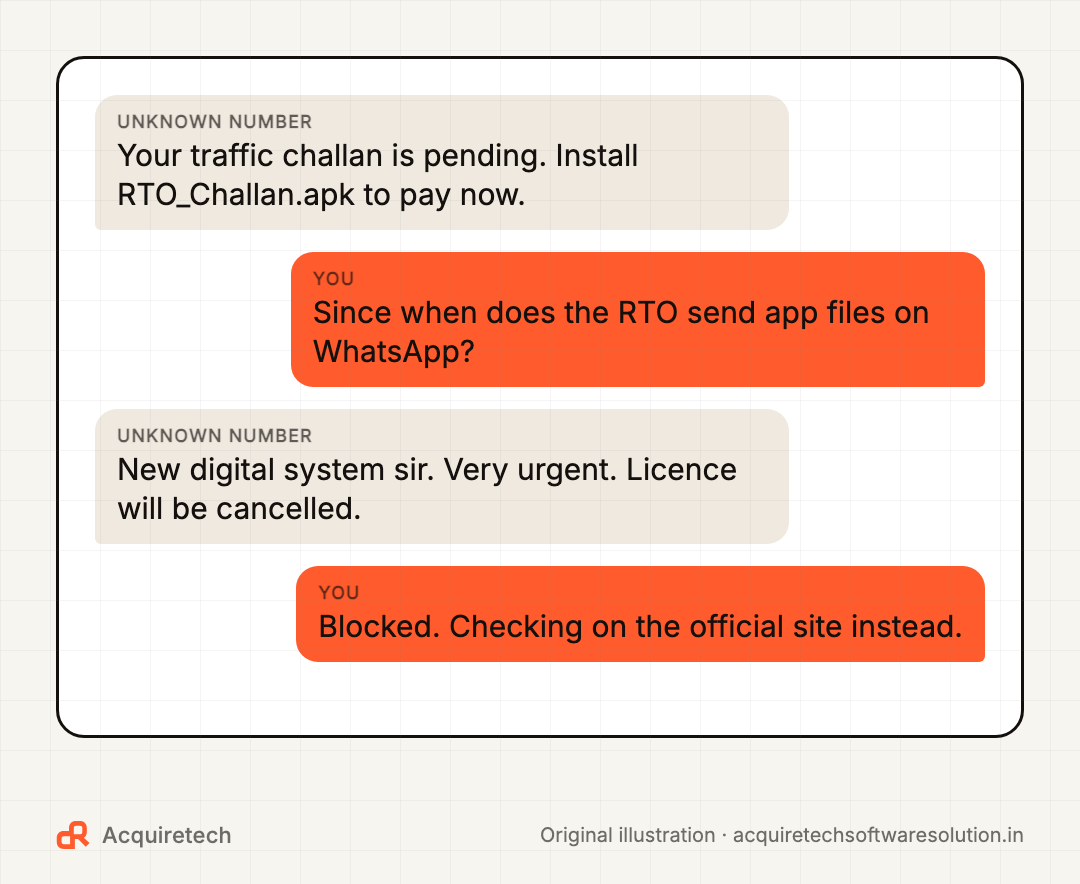
Key point: no bank, RTO, electricity board or wedding host needs you to install an app from a WhatsApp file. If a known contact sends one, call them. Their account may have been hijacked.
India's fake loan app problem, and the rules now in place
Illegal loan apps combine fraud with harassment. On 7 November 2026, Siasat reported a Hyderabad man who borrowed through around 80 instant loan apps, repaid ₹47.28 lakh against roughly ₹26.6 lakh received, and was then blackmailed with morphed family photos after granting the apps access to his contacts, photos, messages and camera (Siasat). Police have registered a case.
Two rules now help you spot a fake:
- RBI's Digital Lending Directions, 2025 say lending apps must not access phone resources such as files and media, contact lists or call logs; one-time camera, microphone or location access is allowed only for onboarding or KYC with your consent (RBI). A loan app asking for your contacts is a red flag in itself.
- The DLA directory. Lenders must report every lending app they use, and the RBI publishes the list under Citizen's Corner > "DLAs deployed by Regulated Entities" (RBI). The RBI does not verify the entries, and a listing is not an endorsement, but an app missing from it is a strong warning.
Google Play now enforces this: new personal loan apps in India must be on the RBI list since 30 October 2025, and existing apps had until 28 January 2026 (Google). A loan app pushed to you as an APK outside the store skips that check entirely.
Red flags checklist
Stop if any of these apply:
- The app arrived as a file or link on WhatsApp, SMS or Telegram.
- The developer name does not match the brand, or the developer has one app and no website.
- The download count is tiny for a "famous" brand.
- The permissions do not fit the job: a torch app wanting SMS, a loan app wanting contacts.
- It asks you to enable Accessibility, notification access or "install unknown apps".
- Reviews are all five-star one-liners, or the recent one-star reviews mention money stolen.
- The offer is too good: instant loan, no documents, guaranteed returns.
- Someone on a call is guiding you through installing it. That is a scam, every time.
How to check an app in 60 seconds
Developer. Tap the developer name on the store page. Real banks publish from their own account, with a website and support email on their official domain. Better still, install from the link on the official website.
Permissions. On Android, check after install via Settings > Apps > the app > Permissions, or see everything at once in Settings > Security & Privacy > Privacy > Permission manager (Android Help). Revoke anything that does not make sense.
Reviews. Read the most recent one-star reviews first; fraud complaints show up there before ratings catch up.
Google Play Protect and the Android settings that matter
- Play Protect: Play Store > profile icon > Play Protect > Settings, and keep Scan apps with Play Protect on. It scans apps from the store and other sources, and may block unverified apps requesting permissions abused in financial fraud (Google Play Help).
- Install unknown apps: keep it off for WhatsApp, Chrome and file managers. If something asks you to turn it on, stop.
- India's enhanced fraud protection: under a pilot Google began rolling out in India from late 2024, Play Protect automatically blocks internet-sideloaded apps that request permissions such as reading SMS, notification access or Accessibility (Google India).
- Developer verification: from 30 September 2026, Android requires apps on certified devices in Brazil, Indonesia, Singapore and Thailand to come from verified developers, with global expansion planned for 2027 (Android Developers). India is not in the first phase.
On iPhone, the main risks are App Store lookalikes and requests to install configuration profiles, which Apple warns can give someone control of your device (Apple).
Installed a fake app? Do this now
- Turn on flight mode to cut off the app's connection.
- Remove its powers, then uninstall. Revoke Accessibility and device admin access first if uninstall is blocked (Outlook Money).
- Call your bank from another phone and block UPI, cards and net banking. Speed matters for recovery.
- Report it on the national cyber fraud helpline 1930 or at cybercrime.gov.in.
- Change passwords and check WhatsApp linked devices.
- Flag the app on Google Play via the app page > More > Flag as inappropriate (Google Play Help).
- Factory reset as a last resort if anything still looks off.
For loan app harassment, do not keep paying. Save screenshots, report on 1930, and warn family that any morphed images are fake.
Frequently asked questions
Can apps on the Google Play Store be fake?
Yes. Google prevented over 1.75 million bad apps from being published in 2025, but some get through as harmless-looking apps that later download malware. Check the developer, permissions and recent reviews even on official stores.
How do I know if a loan app is RBI approved?
Check the "DLAs deployed by Regulated Entities" list under Citizen's Corner on the RBI website, and confirm the lender named in the app. The RBI does not endorse listed apps, but an app missing from the list is a serious warning sign.
Is it safe to install an APK file sent on WhatsApp?
No. Banks, the RTO and other official bodies do not send apps as WhatsApp files, and sideloaded APKs are the main route for banking malware. Install only from the Play Store or App Store.
What should I do if I installed a fake app?
Turn on flight mode, remove the app's Accessibility and admin access, uninstall it, and call your bank from another phone. Then report it on 1930 or cybercrime.gov.in and change passwords from a clean device.
Where is Google Play Protect on my phone?
Play Store > profile icon > Play Protect > Settings. Keep Scan apps with Play Protect switched on.
The bottom line
Most fake apps are not clever. They rely on urgency, trust and one careless tap. Install only from official stores, read permissions like a contract, and treat any app file on WhatsApp as hostile.
To understand the pressure tactics behind these scams, read why smart people fall for scams. For payment-specific tricks, see UPI fraud in 2026, and lock down messaging with our WhatsApp privacy checklist. Then share this with the family member most likely to tap "Install".
Sources and further reading
- Keeping Google Play & Android app ecosystems safe in 2025 · Google · 2026-02-19
- The App Store stopped over $2.2 billion in fraudulent transactions in 2025 · Apple Newsroom · 2026-05-20
- IT threat evolution in Q2 2026. Mobile statistics · Kaspersky Securelist · 2026-08-10
- Invited to wedding? Police say check the link before you click · The Tribune · 2025-11-28
- GhostBat RAT: Inside the Resurgence of RTO-Themed Android Malware · Cyble · 2025-10-14
- Hackers Target 60 Indian Banking and UPI Apps With New GhostBat Android Malware · Cyber Security News · 2026-10-16
- Hyderabad man loses Rs 47 lakh to loan app, blackmailed · Siasat Daily · 2026-11-07
- Reserve Bank of India (Digital Lending) Directions, 2025 · Reserve Bank of India · 2025-05-08
- RBI issues Reserve Bank of India (Digital Lending) Directions, 2025 · Reserve Bank of India · 2025-05-08
- Personal Loans in India · Play Console Help (Google) · 2026-11-09
- Use Google Play Protect to help keep your apps safe & your data private · Google Play Help · 2026-11-09
- Launching enhanced fraud protection pilot in India · Google India Blog · 2024-10-03
- Android developer verification: Building a safer ecosystem together · Android Developers Blog · 2026-06-18
- Change app permissions on your Android phone · Android Help · 2026-11-09
- Flag an app or review on Google Play · Google Play Help · 2026-11-09
- Recognize and avoid social engineering schemes including phishing messages, phony support calls, and other scams · Apple Support · 2026-11-09
- RBI Warns Of Fake Banking Apps: How To Protect Your Money From Android Malware · Outlook Money · 2026-10-24
Contact Acquiretech Software Solution: info@acquiretechsoftwaresolution.in · WhatsApp +91 80786 33912 · Send an enquiry