Smartphone battery myths that need to die in 2026
Charging overnight, fast chargers, swiping away apps, the 80% rule: we checked each battery myth against what Apple, Samsung and Google actually say, and what battery science backs up.
By Shashi Kumar ·
Somebody in your family still believes you must drain a new phone to 0% before charging it. Somebody else swipes away every open app before bed. And someone in your WhatsApp group has forwarded a message saying fast chargers "burn" batteries.
Most of this advice was true for batteries from twenty years ago, or was never true at all. Modern phones use lithium-ion cells managed by software that already does much of the protecting for you.
So we checked each myth against what Apple, Samsung and Google say on their own support pages (as of 9 November 2026), plus battery engineering references. The short version: heat and time spent at 100% matter far more than almost anything else you worry about.
Myth 1: Charging overnight ruins your battery
Mostly false. Your phone does not keep pushing current into a full battery all night, and all three big platforms have a feature built for overnight charging:
- iPhone: Optimised Battery Charging is on by default and is "designed to reduce the wear on your battery" by cutting the time spent fully charged (Apple).
- Samsung Galaxy: Settings > Battery > Battery protection. On One UI 6.1, Adaptive applies the stricter mode while you sleep and switches back before you usually wake (Samsung).
- Google Pixel: Settings > Battery > Battery health > Charging optimisation > Adaptive Charging, which finishes charging shortly before you usually unplug (Google).
The caveat is heat. A phone charging under a pillow or on a thick quilt gets warm, and warmth is what really ages a battery. Charge on a hard surface.
Myth 2: Let it drop to 0% before charging
False. This comes from old nickel batteries with a "memory effect". Lithium-ion has none. Battery University, the engineering reference run by battery-test firm Cadex, says: "There is no memory and the battery does not need periodic full discharge cycles to prolong life" (BU-808). It advises avoiding full discharges and charging more often.
Phones do need an occasional full charge to keep the percentage accurate. Google says a Pixel needs one every tenth cycle even with its 80% limit on, and Apple says an iPhone with a charge limit will occasionally charge to 100%. The phone handles this itself.
Myth 3: Fast charging damages the battery
Overstated. The phone, not the charger, decides how much current to accept. It charges fast when the battery is low and cool, then tapers off.
The best-known real-world test is from HTX Studio, a YouTube channel that spent about two years cycling 40 phones. As Hackaday's write-up summarises, both "fast charging hurts" and "80% limits help" proved partly true, but with a small practical impact over a phone's life. It is an informal test, and we found no peer-reviewed study testing phone fast charging directly, so treat it as a hint, not the final word.
What engineers agree on is that heat accelerates ageing. Fast charging is fine; fast charging while gaming in a hot car is the combination to avoid.
Myth 4: Only the original charger is safe
Half true. Certification matters, not the logo. Apple itself says you can use "third-party adapters that comply with applicable safety standards" (Apple).
In India, check the R-number. Chargers sold legally carry a BIS registration number. In the official BIS CARE app, open Verify R-No under CRS, enter the eight-digit number and tap Go to see the registered manufacturer (BIS). A roadside charger with no number, or one that returns nothing, is the one to avoid.
Myth 5: Closing background apps saves battery
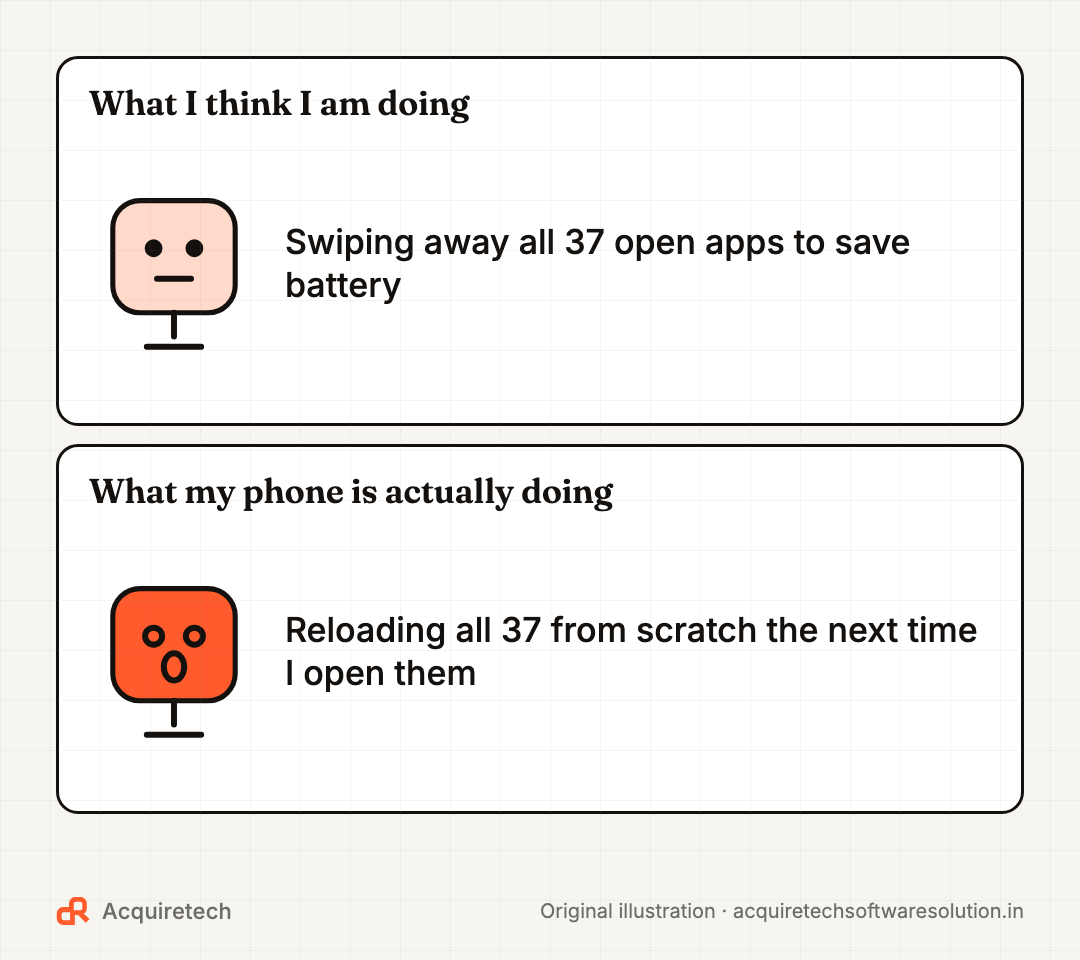
False on modern phones. Apps in the switcher are mostly suspended. Swiping them away means relaunching them from scratch later, which can cost more energy. Apple's advice: "You should close an app only if it's unresponsive" (Apple). If one app really drains power, the battery usage screen in Settings will name it.
Myth 6: You must keep your phone between 20% and 80%
True in principle, optional in practice. Lithium-ion ages faster at high charge, especially when warm. Battery University's storage table shows a cell kept at 40% charge at 25°C retaining 96% of capacity after a year, against 80% for one kept full; at 40°C it is 85% versus 65% (BU-808). That is storage data, not daily use, but it shows the direction.
Your phone can enforce a limit for you:
- iPhone 15 models and later: Settings > Battery > Charging sets a limit from 80% to 100% in 5% steps. iPhone 14 and earlier only have the Optimised Battery Charging toggle (Apple).
- Samsung (One UI 6.1): Battery protection > Maximum stops at 80%; Basic pauses at 100% and resumes at 95%. Names and percentages have shifted between One UI versions, so check what your phone shows.
- Pixel 6a and later: Charging optimisation > Limit to 80%.
Our rule of thumb: if you usually end the day with 40% or more left, set an 80–90% limit. If you scrape into single digits by evening, use the optimised or adaptive mode instead.
Myth 7: Cold is the danger, heat is fine
Backwards. Apple says iPhones are happiest between 16°C and 22°C and that ambient temperatures above 35°C "can permanently damage battery capacity" (Apple). It also warns that charging in some cases generates excess heat.
In an Indian summer: keep the phone off the car dashboard, avoid navigating in direct sun while fast charging, and pop off a thick case if it heats up on the charger. Cold weakens a battery temporarily; heat does it permanently.
Myth 8: Battery health 90% means 90% of your battery works
Close. On iPhone, Settings > Battery > Battery Health shows Maximum Capacity, measured "relative to when it was new" (Apple). At 90%, a full charge holds about nine-tenths of what it did on day one. Apple's benchmarks:
- iPhone 14 models and earlier are designed to retain 80% of original capacity at 500 complete charge cycles.
- iPhone 15 models are designed to retain 80% at 1,000 cycles.
- One cycle is 100% of capacity used in total, so two days of 50% each is one cycle.
On Samsung, open Samsung Members > Support > Phone diagnostics and tap Battery status for a Normal, Weak or Bad result (Samsung). Treat any health figure as an estimate and watch the trend.
When to actually replace the battery
- iPhone: "Your battery's health is significantly degraded" means service is recommended; Apple notes it is not a safety issue. With AppleCare+, Apple replaces the battery at no extra charge if capacity drops below 80% (Apple).
- Samsung: a Bad diagnostic result, where Samsung recommends a service centre visit.
- Any phone: it shuts down at 20–30%, or needs two charges a day for normal use.
- Stop using it now if the back or screen starts lifting. A swollen battery is a safety issue. Take it to an authorised centre and do not press on it.
A battery swap usually costs far less than a new phone.
The battery cheat sheet
| Habit | Verdict | What to do |
|---|---|---|
| Charging overnight | Fine | Keep optimised or adaptive charging on |
| Draining to 0% | Avoid | Top up whenever convenient |
| Fast charging | Fine | Avoid combining it with heat |
| Third-party charger | Fine if certified | Check the BIS R-number in India |
| Swiping away apps | Pointless | Only close frozen apps |
| 80% charge limit | Optional | Use it if you rarely run low |
| Heat above 35°C | Harmful | Keep off dashboards while charging |
| Battery health % | An estimate | Act on service warnings, not small dips |
Frequently asked questions
Is it bad to charge my phone overnight?
No. iPhone, Samsung and Pixel phones all have optimised or adaptive charging that limits time at 100% overnight. Charge on a hard surface, not under a pillow, so the phone stays cool.
Does fast charging damage my phone battery?
Not meaningfully on its own. The phone controls the current and slows down as the battery fills. It becomes a problem mainly when combined with heat, such as gaming while charging.
Should I limit charging to 80%?
It helps the battery last longer but is optional. If you usually end the day with plenty left, turn on an 80% to 90% limit; if you often run low, use optimised or adaptive charging instead.
What does battery health percentage mean?
It estimates how much charge your battery holds compared with when it was new. Apple designs iPhone 15 models to retain 80% after 1,000 complete charge cycles, and earlier models after 500.
When should I replace my phone battery?
When the phone shows a service warning, Samsung diagnostics say Bad, or you need to charge twice a day. If the battery is swelling, stop using the phone and visit an authorised service centre.
The bottom line
Your phone is smarter about its battery than most forwarded advice. Turn on optimised or adaptive charging, keep it cool, buy certified chargers, and stop swiping away apps.
Next, see which phone AI features are worth using in 2026. Many "battery saver" apps are junk or worse, so read how to spot fake apps on the Play Store before installing one. And while you are in Settings, our WhatsApp privacy checklist takes five minutes.
Sources and further reading
- About Charge Limit and Optimised Battery Charging on iPhone · Apple Support · 2026-11-09
- iPhone battery and performance · Apple Support · 2026-11-09
- Batteries - Maximizing Performance · Apple · 2026-11-09
- Close an app on your iPhone or iPod touch · Apple Support · 2026-11-09
- About Apple USB power adapters · Apple Support · 2026-11-09
- Apple Service and Repair for iPhone Battery · Apple Support · 2026-11-09
- Galaxy Battery protection feature in One UI 6.1 · Samsung UK Support · 2026-11-09
- How to check the battery status on your Samsung Galaxy phone · Samsung India Support · 2026-11-09
- Get the most life from your Pixel phone battery · Pixel Phone Help (Google) · 2026-11-09
- BU-808: How to Prolong Lithium-based Batteries · Battery University (Cadex Electronics) · 2026-11-09
- Testing Whether Fast Charging Kills Smartphone Batteries, And Other Myths · Hackaday · 2025-11-10
- BIS CARE app · Bureau of Indian Standards · 2021-11-18
Contact Acquiretech Software Solution: info@acquiretechsoftwaresolution.in · WhatsApp +91 80786 33912 · Send an enquiry