Is your phone listening to you? The truth about eerily accurate ads
You mention pressure cookers once and the ads arrive. The evidence says your microphone is probably not the culprit. What is going on is less cinematic, and in some ways more unsettling.
By Shashi Kumar ·
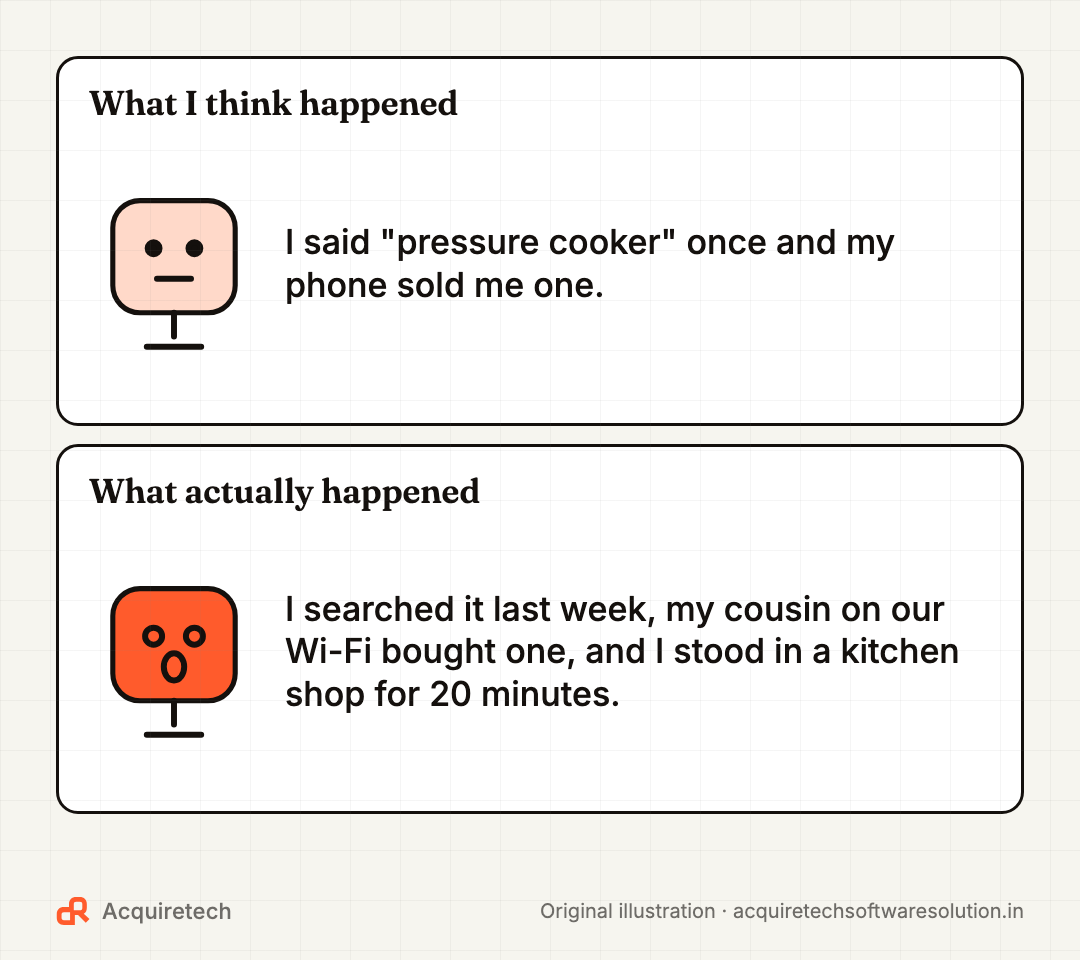
You mention pressure cookers once, over chai, phone face down on the table. That evening, Instagram is full of pressure cookers. Your phone heard you. Surely.
Almost everyone has a story like this. Here is the short answer first: there is no good evidence that your phone secretly records your conversations to target ads. The one company that loudly claimed it could do this was charged by a US regulator in 2026, and the regulator found it was not listening at all.
The longer answer is less cinematic and more useful. Ads feel psychic because of everything else your phone, your apps and your relatives' phones reveal about you. Most of that, you can turn down.
What the evidence actually says
The study that went looking for it
In 2018, researchers at Northeastern University tested more than 17,000 popular Android apps to see whether any secretly sent audio. Co-author Christo Wilson said: "There were no audio leaks at all—not a single app activated the microphone."
What they did find was arguably worse: some apps sent screenshots or video of users' screens to third parties without telling them. Automated testing has limits, so this is strong evidence, not a lifetime guarantee.
The pitch deck that seemed to confirm everything
In December 2023, 404 Media reported that a team at Cox Media Group (CMG) was pitching an "Active Listening" service that claimed to target ads using conversations picked up by device microphones. In August 2024 it published the pitch deck, which named Facebook, Google, Amazon and Bing as CMG partners. Google removed CMG from its Partners Program after 404 Media asked for comment.
For many people, that settled it. It should not have.
What the regulator found in 2026
On 21 May 2026, the US Federal Trade Commission charged CMG and two marketing firms with deceiving their own advertising customers. The FTC alleged the service "did not, in fact, listen in on consumers' conversations or use voice data at all". Instead, it said, the companies were reselling email lists bought from other data brokers, at a significant markup. The firms agreed to pay $930,000 in total without admitting the allegations, and the FTC finalised the orders on 27 August 2026.
The FTC also said clicking through mandatory terms of service is not opt-in consent. So the scandal was real, but it was about selling a fake product, not proof of secret listening.
The voice assistant lawsuits
Two settlements also get cited as proof. Apple agreed to pay $95 million to settle a US class action over Siri recording people after accidental activation; it denied wrongdoing and stated it has "never used Siri data to build marketing profiles". In January 2026 Google agreed to pay $68 million over similar claims about Google Assistant "false accepts", also denying wrongdoing.
Those cases are about assistants mishearing a wake word: a genuine privacy issue, but not the same as an app quietly recording your dinner for ads.
So how do ads get that accurate?
Denying microphone snooping in October 2025, Instagram head Adam Mosseri noted that an always-on microphone would show the privacy indicator and drain your battery. He attributed the accuracy to advertisers sharing who visited their websites, ads shown to people who resemble you, and plain coincidence. Here is the fuller list.
- Your own searches and browsing. You probably looked up pressure cooker prices before you ever said the words out loud. Tracking code on shopping sites (often called pixels) reports visits back to ad platforms.
- Location. Your phone knows you spent 20 minutes in a kitchen appliance shop. Location data also flows to data brokers: in 2024 the FTC barred one broker from selling sensitive location data it had collected through code inside other companies' apps and tied to advertising IDs.
- Your household and contacts. Devices that share a home connection, and apps you have allowed to read your contacts, can link you to the people you live and talk with. If your cousin bought a pressure cooker on the family Wi-Fi, you may be next.
- Lookalike audiences. If people like you, by age, area and interests, are buying something, the system shows it to you too.
- AI chats. Meta said it would use people's text and voice chats with Meta AI to personalise content and ads from 16 December 2025, excluding sensitive topics such as health and religion. That is not secret listening, but it is a new signal many people do not realise they are giving.
- Your own memory. Of the hundreds of ads you scroll past daily, you notice the one that matches a conversation.
What we know vs what we don't
We know: studies have not found apps secretly sending audio; the FTC found the most famous "listening" product used no voice data; phones show an indicator when an app uses the microphone; and targeting draws on searches, location, purchases, contacts and AI chats.
We don't know: that no app anywhere has ever misused a microphone permission. Malicious apps exist, which is why the permission checks below matter. Our guide to spotting fake apps helps here too.
Cut tracking on an iPhone
- Check microphone access. Go to Settings > Privacy & Security > Microphone and switch off any app that has no business hearing you. Apple's hardware access guide explains the list.
- Watch the dot. An orange indicator means an app is using the microphone; green means the camera. Control Center tells you which app used either recently.
- Stop cross-app tracking. Go to Settings > Privacy & Security > Tracking and turn off "Allow Apps to Request to Track", which stops apps asking (Apple's explainer). The same screen shows apps you previously allowed.
- Turn off Apple's own personalised ads. Settings > Privacy & Security > Apple Advertising > Personalized Ads.
Cut tracking on Android
- Check microphone access. Settings > Security & privacy > Privacy > Permission manager > Microphone. Choose "Allow only while using the app" or "Don't allow". Labels vary slightly by brand.
- Watch the indicator. On Android 12 and later, an icon appears in the status bar when an app uses the microphone or camera. Swipe down and tap it to see which app.
- Delete your advertising ID. Settings > Privacy > Ads > Delete advertising ID. Google says apps then receive a string of zeros instead of your ID. On some phones the Ads option sits under Settings > Google.
- Use My Ad Center. Signed in to Google, open My Ad Center and select Off next to Personalized ads; under Manage Privacy you can also stop activity on sites and apps, YouTube history and areas you have used Google from shaping ads (Google's guide).
On Facebook and Instagram
Go to Settings and privacy > Settings > Meta Account (or Accounts Center) > Ad preferences. Under Manage info, turn off ads based on your activity from other businesses. Separately, under Your information and permissions, look for "Your activity off Meta technologies" to disconnect and clear what websites and apps have shared, where it is available. Meta says these changes affect which ads you see, not how many.
None of this makes ads disappear; it makes them less personal. If your business runs ads, the flip side matters: people who chose to join your WhatsApp list beat shady targeting, as we explain in WhatsApp lead follow-up automation.
Frequently asked questions
Is my phone listening to me for ads?
There is no good evidence that phones secretly record conversations for ads. Studies have not found it, and in 2026 the FTC said the best-known "Active Listening" service used no voice data. Accurate ads come from searches, location, contacts, purchases and lookalike targeting.
Why did I get an ad right after talking about something?
Usually because you, or someone near you, searched for it, visited a shop or website, or matched a profile of likely buyers. You also scroll past many ads and remember only the one that matched.
How do I check which apps can use my microphone?
On iPhone: Settings > Privacy & Security > Microphone. On Android: Settings > Security & privacy > Privacy > Permission manager > Microphone. Switch off any app that does not need it.
Should I delete my advertising ID?
If you want fewer personalised ads, yes. On Android: Settings > Privacy > Ads > Delete advertising ID. On iPhone, turn off "Allow Apps to Request to Track" under Settings > Privacy & Security > Tracking.
Was the Cox Media Group "Active Listening" story fake?
The pitch was real; the capability, according to the FTC, was not. The FTC alleged the service used no voice data and resold email lists, and the companies paid $930,000 without admitting the allegations.
The bottom line
Your microphone is probably innocent. Your data trail is not. Spend ten minutes on the settings above, review app permissions every few months, and treat any app that wants your microphone without a clear reason as suspect. Then spend five more on our WhatsApp privacy settings checklist.
Sources and further reading
- Is your smartphone spying on you? · Northeastern University · 2018-07-06
- Here's the Pitch Deck for 'Active Listening' Ad Targeting · 404 Media · 2024-08-26
- FTC to Require Cox Media Group, Two Other Firms to Pay Nearly $1 Million to Settle Charges They Deceived Customers About "Active Listening" AI-Powered Marketing Service · Federal Trade Commission · 2026-05-21
- FTC Finalizes Orders with Cox Media Group, Two Other Firms Settling Charges They Deceived Customers About "Active Listening" AI-Powered Marketing Service · Federal Trade Commission · 2026-08-27
- Our longstanding privacy commitment with Siri · Apple Newsroom · 2025-01-08
- Google settles Google Assistant privacy lawsuit for $68 million · CNBC · 2026-01-26
- Instagram head says company is not using your microphone to listen to you (with AI data, it won't need to) · TechCrunch · 2025-10-01
- Improving Your Recommendations on Our Apps With AI at Meta · Meta Newsroom · 2025-10-01
- FTC Order Prohibits Data Broker X-Mode Social and Outlogic from Selling Sensitive Location Data · Federal Trade Commission · 2024-01-09
- Control access to hardware features on iPhone · Apple Support · 2026-11-09
- If an app asks to track your activity · Apple Support · 2026-11-09
- Advertising ID · Google Play Console Help · 2026-11-09
- How personalized ads work - Android phone & tablet · Google My Ad Center Help · 2026-11-09
Contact Acquiretech Software Solution: info@acquiretechsoftwaresolution.in · WhatsApp +91 80786 33912 · Send an enquiry